 Househand
Home maintenance spreadsheet
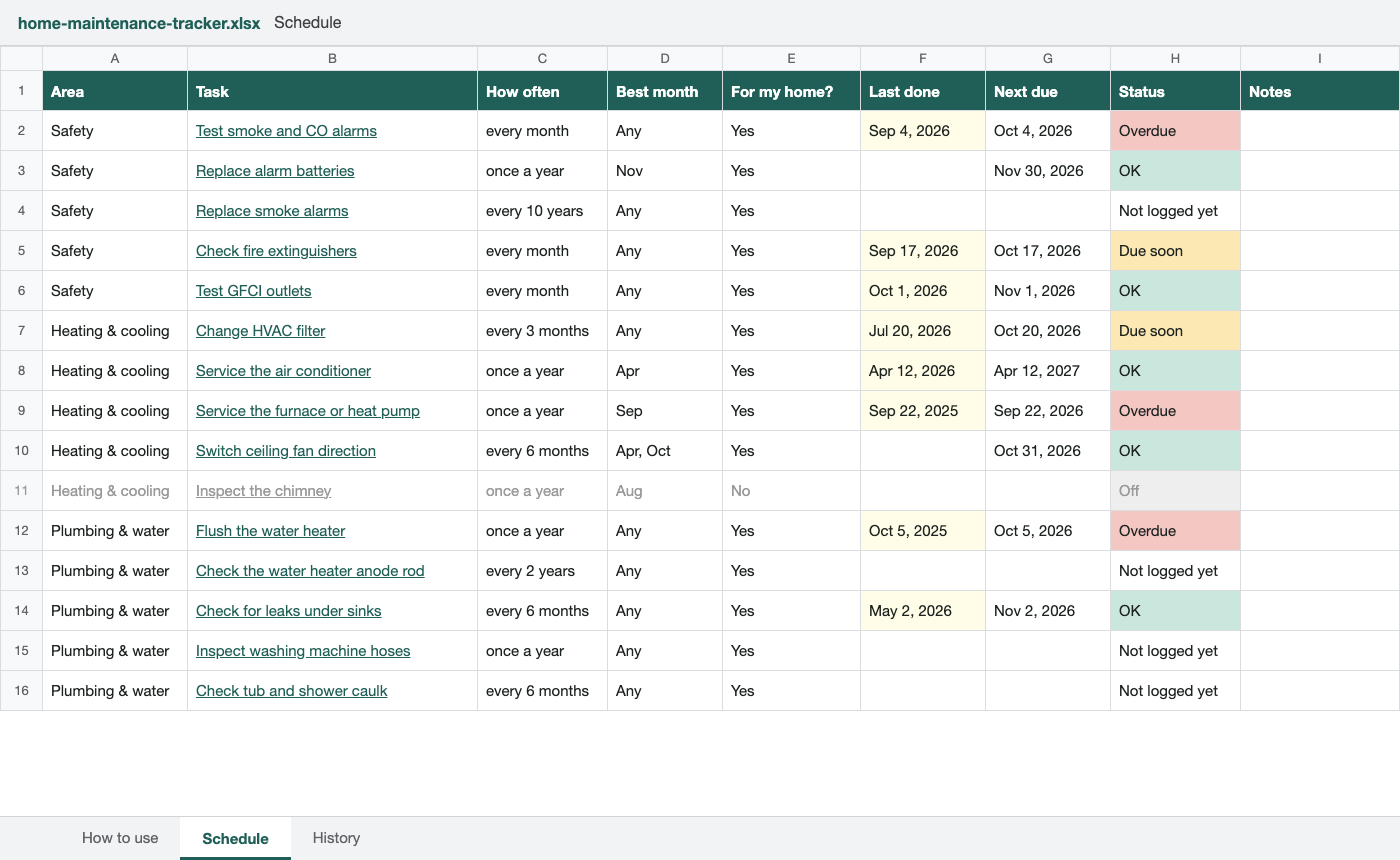
All 33 jobs from the checklist in one spreadsheet. Type the date you last did one, and the next two columns fill in: when it's due again, and whether it's overdue.
Opening it
- Excel: open the file.
- Google Sheets: go to File, then Import, then Upload, and pick the file. Or drop it into Google Drive and open it with Google Sheets.
- Numbers on a Mac or iPhone: open the file and Numbers converts it.
It has no macros, and nothing in it connects to the internet.
What the columns do
- For my home?
- Some jobs only apply to some houses, like the septic tank or the sump pump. Those start at No and show gray. Set one to Yes if you have it.
- Last done
- The date you last did the job. Leave it blank if you don't know.
- Next due
- Worked out from Last done and how often. A seasonal job you haven't logged yet gets the end of its next best month, so the furnace tune-up still shows up in September.
- Status
- Overdue, Due soon, OK or Not logged yet. Due soon starts a week ahead for the monthly checks and two weeks ahead for the rest.
- Recommended by
- Who recommends each interval, with a link. They're the same sources the checklist uses.
The History tab is for a line each time you do something, with who did it and what it cost. Next time somebody asks when the water heater was last flushed, it's in there.
The dates follow the same rule as the Househand app and the in-browser tracker. General guidance for a typical Northern Hemisphere home; your manufacturer's instructions come first.
More printables: First-year homeownerEmergency info sheetAppliance and filter log
Househand reminds you when each one is due
Paper works until it goes on the fridge and stays there. The Househand app keeps the same checklist and tells you when each job comes due, based on when you last did it.
- A reminder when a job is due, not on a fixed date
- A history of what you did and when
- The same schedule as this site, optional tasks and all